Incident Response
Manage security incidents in a structured way — from detection through analysis to resolution. NIS-2 requires an initial report within 24 hours. turingsecure gives you the tools for fast, coordinated response.
What Is Incident Response?
Structured Incident Handling Instead of Ad-Hoc Response
Incident response is the organized approach to detecting, analyzing, containing, and recovering from security incidents. Without a structured process, teams waste critical time during crises — scrambling to understand what happened, who is responsible, and what to do next.
80% of ransomware attacks target mid-sized companies, and the average detection time is 181 days. turingsecure covers the entire incident lifecycle: from the initial alert through forensic analysis to documented remediation — with attack vectors, Indicator of Compromise tracking, and step-by-step remediation workflows.
Incident Workflow
How Does Incident Response Work in Practice?
Detection & Analysis
Classify, Investigate, and Understand the Attack
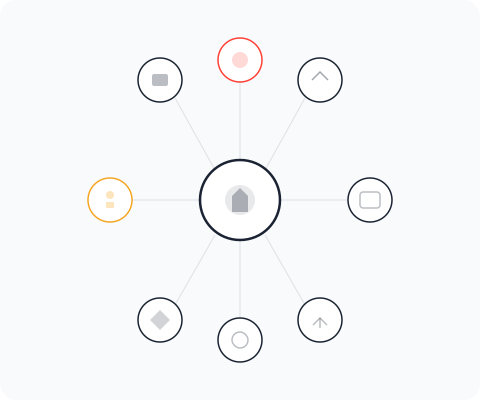
The first hours of an incident are critical. turingsecure helps your team classify the incident immediately with nine predefined attack vectors, document Indicators of Compromise, and search across all security modules for related findings — turning chaos into structured investigation.
- Nine Attack Vectors
Classify each incident by attack type: Phishing, Malware, Insider Threat, Web Application, Network, Physical, Social Engineering, Supply Chain, or Unknown. Structured classification drives the right response.
- IoC Tracking (10 Types)
Track IP addresses, domains, URLs, email addresses, file hashes, filenames, registry keys, process names, user agents, and CVEs. Cross-module search identifies IoCs across your entire security data.
- Cross-Module Correlation
Search for IoCs across vulnerability management, darknet monitoring, and attack surface findings. Connect incidents to known weaknesses and prior intelligence.


Containment & Remediation
Step-by-Step Plans for Structured Recovery
Once the attack is understood, containment and remediation need to happen fast — but systematically. turingsecure provides structured remediation workflows where each step is defined, assigned, and tracked to completion.
The timeline automatically logs every status change, severity update, team assignment, and activity — creating the documented incident history that NIS-2 requires for regulatory reporting.
- Remediation Steps
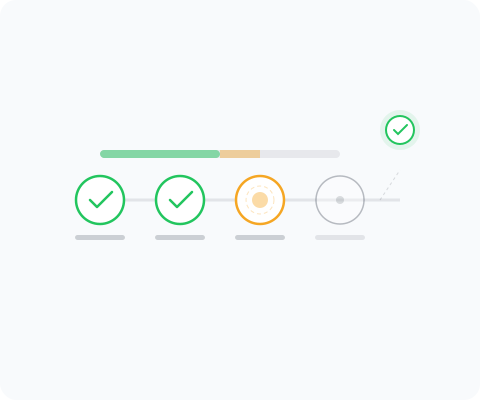
Define step-by-step remediation plans with detailed descriptions. Mark completed steps, track progress (e.g., 3/5 steps done), and ensure nothing is missed during the recovery process.
- Team Coordination
Assign incidents to team members, collaborate through comments with file attachments, and maintain a complete activity log. Coordinate response across security, IT, and management.
- Automated Timeline
Every action is logged: status changes, severity updates, IoC additions, team assignments, and comments. The timeline provides forensic-grade documentation for post-incident analysis.


See turingsecure in Action
Discover in a personal demo how turingsecure supports your security program.
Incident Lifecycle
From Alert to Lessons Learned
A structured incident response process ensures fast reaction, thorough investigation, and complete documentation.
1. Detect
Create an incident record with severity (Critical to Low), attack vector classification, and initial description. Link related darknet findings, vulnerability reports, or ASM alerts as context.
2. Analyze
Document Indicators of Compromise, search across all security modules for related findings, and build a timeline of the attack. Classify the incident type and assess the scope of impact.
3. Contain
Define immediate containment actions as remediation steps. Track execution of isolation measures, credential rotations, and access revocations in real time.
4. Remediate
Execute the full remediation plan step by step. Track progress, verify each action, and ensure the root cause is addressed — not just the symptoms.
5. Document
Complete the incident record with final analysis, lessons learned, and recommended improvements. Export for NIS-2 reporting: initial report (24h), detailed analysis (72h), final report (1 month).
Core Features
The Complete Incident Lifecycle
From the initial report to the final analysis — all in one platform.
Incident Management
Capture incidents with severity (Critical to Low), status (Open, In Progress, Resolved, Closed), and attack vector. Assign team members and track progress throughout the entire lifecycle.
Indicators of Compromise
Track 10 IoC types: IP addresses, domains, URLs, email addresses, file hashes, filenames, registry keys, process names, user agents, and CVEs. Cross-module search for known indicators.
Remediation Workflows
Define remediation steps with detailed descriptions, mark completed steps, and track progress (e.g., 3/5 steps completed). Structured documentation of all countermeasures.
Documentation & Compliance
Complete Traceability for NIS-2
- Attack Vectors
Classification by 9 attack vectors: Phishing, Malware, Insider Threat, Web Application, Network, Physical, Social Engineering, Supply Chain, and Unknown. Structured analysis for each incident.
- Timeline & Activity Log
Automatic logging of all status, severity, and assignment changes. Complete timeline for NIS-2 reporting obligations: initial report (24h), detailed analysis (72h), final report (1 month).
- Team Collaboration
Comment threads with edit and delete capabilities. Coordinate incident handling as a team with full activity log and file attachments.
 Export & Archival
Export incidents as CSV or JSON. Archive and reactivate incidents as needed. Advanced filters by status, severity, attack vector, and creation date.
Related Modules
Incident Response Connects to Your Security Intelligence
Incident response is most effective when it draws on intelligence from across your security program.
- Darknet Monitoring
When darknet monitoring detects compromised credentials or leaked data, it triggers incident response workflows. Early detection means faster containment.
- Threat Intelligence
During incidents, threat intelligence provides rapid context: Is this CVE actively exploited? Are there IoCs linked to known campaigns? What does EPSS say about exploitation probability?
- Penetration Testing
Pentest findings that reveal potential attack paths inform incident response preparation. When a predicted scenario becomes real, your team is ready.
- Phishing Simulation
Phishing simulation results identify which departments and users are most vulnerable. This intelligence helps prioritize incident investigation when phishing is the attack vector.


Compliance
NIS-2 Requires Documented Incident Response
NIS-2 imposes strict incident reporting timelines: an initial report within 24 hours, a detailed analysis within 72 hours, and a final report within one month. Without a structured incident response process and documented timeline, meeting these obligations becomes nearly impossible under pressure.
turingsecure’s automatic timeline logging, structured remediation workflows, and export capabilities ensure that every incident is documented from detection to resolution — ready for regulatory reporting at every required milestone.
- 24h / 72h / 1 Month Reporting
Automatic timeline documentation supports NIS-2 reporting milestones. Every status change, severity assessment, and action is timestamped for regulatory compliance.
- Export & Archival
Export incident records as CSV or JSON for regulatory submission. Archive and reactivate incidents as needed. Complete incident history preserved for audit purposes.
Resolve Incidents Quickly and Systematically
See how turingsecure supports your team in detecting, analyzing, and resolving security incidents.