Phishing Simulation
AI-generated phishing emails achieve a 60% higher click rate than traditional campaigns. Regular phishing simulations are the most effective defense against social engineering — they measure real employee behavior, not just awareness survey answers.
What Is Phishing Simulation?
Controlled Attacks That Make Your Organization Stronger
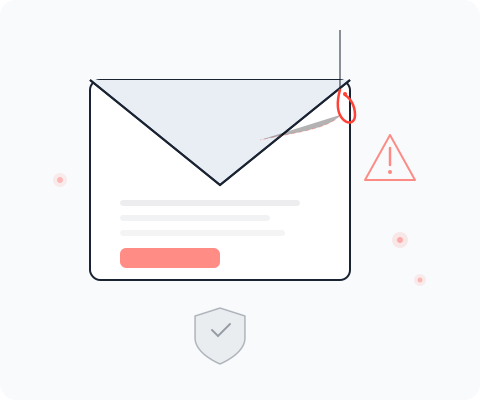
Phishing simulation sends realistic but harmless phishing emails to your employees to measure how they react. Unlike general security awareness training, which teaches theory, simulation provides hard data: who clicked, who submitted credentials, who reported the email.
Modern phishing goes far beyond generic mass emails. Spear phishing targets specific individuals with personalized messages. Business Email Compromise (BEC) impersonates executives to authorize fraudulent payments. Quishing uses QR codes to bypass email filters entirely. turingsecure simulates all these attack types so your team is prepared for what attackers actually use.
Why Phishing Simulation?
The Threat Landscape Demands Measurable Awareness
1.13 million phishing attacks were recorded in Q2 2025 alone. QR code phishing has surged by 400%. Germany ranks 2nd among phishing origin countries. NIS-2 mandates regular cybersecurity training for all companies in scope — including executive management.
Awareness training alone is not sufficient. Organizations need measurable proof that employees can identify and report phishing attempts. Simulation campaigns provide exactly that: quantifiable metrics per department, per campaign, and over time.
- NIS-2 Training Requirements
NIS-2 explicitly requires regular cybersecurity training. Phishing simulations provide documented evidence that your organization meets this obligation.
- Executive Training Mandate
NIS-2 holds executive management personally liable for cybersecurity. Simulation campaigns can target C-level specifically to ensure leadership awareness.
- Measurable Security Culture
Replace subjective assessments with hard data. Track click rates, report rates, and improvement trends across your entire organization.


See turingsecure in Action
Discover in a personal demo how turingsecure supports your security program.
Campaign Lifecycle
From Planning to Targeted Training in Six Steps
turingsecure guides you through the entire phishing simulation lifecycle — from audience selection to post-campaign analysis.
1. Define Target Audience
Choose which employees, departments, or management levels to include. Create targeted campaigns for high-risk groups like finance, HR, or executive leadership.
2. Select Template
Select from attack templates: credential harvesting pages, malicious link campaigns, QR code phishing, or BEC-style executive impersonation. Customize sender names and email content.
3. Configure Campaign
Configure the sender profile, campaign start and end dates, and delivery schedule. Set up the landing page for credential submission tracking.
4. Send Campaign
Emails are sent according to the configured schedule. Each recipient receives a unique tracking link for individual funnel tracking.
5. Track Funnel
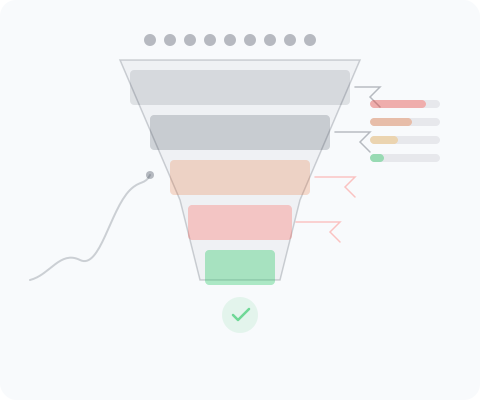
Track the complete phishing funnel in real time: Sent → Opened → Clicked → Submitted → Reported. Visual funnel display shows drop-off rates at each stage.
6. Analyze & Train
Review campaign results by department and individual. Identify high-risk groups and assign targeted security awareness training where it is needed most.
Core Features
Plan, Execute, Analyze Campaigns
Complete campaign management from creation to analysis.
Campaign Management
Create campaigns with status tracking (Draft, Scheduled, Running, Completed), start and end dates, and sender profile. Archive and reactivate campaigns for recurring awareness programs.
Funnel Tracking
Detailed tracking across the entire phishing funnel: Sent, Opened, Clicked, Submitted, Reported. Visual funnel display with drop-off rates per stage and real-time updates.
Recipient Analysis
Per-recipient tracking with email, department, and individual status. Filter and sort by department to identify risk areas and target training where it matters most.
Attack Types
Simulate the Attacks Your Employees Actually Face
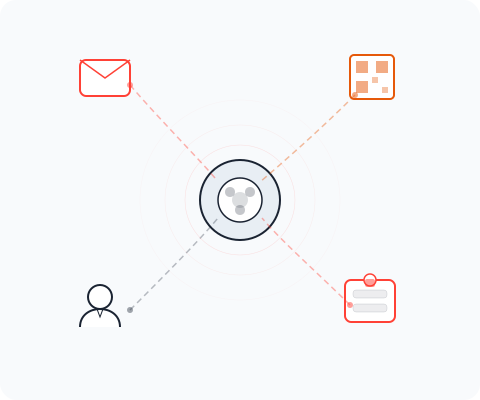
Phishing is not one-dimensional. Modern attacks combine social engineering with technical evasion to bypass both human judgment and email security tools. turingsecure lets you simulate the full spectrum of phishing techniques.
- Email Spear Phishing
Targeted emails personalized to the recipient. Simulate messages from colleagues, IT departments, or business partners that reference real projects or processes.
- QR Code Phishing (Quishing)
Phishing via QR codes that bypass traditional email link scanning. Simulate scenarios where employees scan codes from printed materials, PDFs, or emails.
- CEO Fraud & BEC
Business Email Compromise impersonating executives or suppliers. Simulate urgent payment requests, wire transfer approvals, or confidential data requests.
- Credential Harvesting
Landing pages that mimic login portals for Microsoft 365, Google Workspace, or internal applications. Track which employees enter credentials on fake pages.


Analysis & Reporting
Measurable Results for Your Security Awareness Program
- Campaign Metrics
Dashboard with total campaigns, recipient count, average click rate, and average report rate. Compare campaigns over time and measure the progress of your awareness program.
- Department Comparison
Identify departments with high click rates and target training accordingly. The recipient table shows per person which funnel stage they reached.
 Data Integration
Import campaign data from existing phishing simulation tools. Vendor-based import for seamless integration into your existing tool landscape.
 Compliance Evidence
Documented campaign history as evidence for NIS-2 training requirements. Exportable results for auditors and management reporting.
Technical Countermeasures
Three Pillars That Complement Phishing Simulation
Simulation measures human resilience. These technical measures protect against the attacks that get through.
SPF, DKIM & DMARC Email Security
Properly configured email authentication prevents attackers from spoofing your domain. SPF restricts which servers can send on your behalf, DKIM signs messages cryptographically, and DMARC enforces policy. turingsecure ASM checks your configuration automatically.
Phishing-Resistant Authentication
Traditional MFA with SMS or authenticator apps is bypassed by reverse proxy attacks in real time. Only FIDO2 security keys and passkeys are truly phishing-resistant — they are cryptographically bound to the domain and won't work on spoofed sites.

Security Awareness Training
Simulation identifies gaps, training closes them. Targeted training for employees who clicked, department-specific modules for high-risk areas, and ongoing micro-learning to maintain awareness over time.
Related Modules
Phishing Simulation in Context
Phishing simulation integrates with other turingsecure modules for a complete security awareness and response program.
- Incident Response
When a real phishing attack succeeds, incident response kicks in. Simulation data helps assess the blast radius: which employees are likely targets based on past campaign behavior?
- Darknet Monitoring
Darknet monitoring detects compromised credentials. When employee credentials appear in leaked databases, targeted phishing simulation can test whether these accounts are especially vulnerable.
- Vulnerability Management
Track phishing-related vulnerabilities alongside technical findings. Document awareness gaps as organizational vulnerabilities with remediation plans.
- Penetration Testing
Social engineering assessments complement technical penetration tests. Combine phishing simulation results with pentest findings for a complete organizational risk picture.


Compliance
NIS-2 Compliance Through Documented Simulation Campaigns
NIS-2 requires organizations to conduct regular cybersecurity training and demonstrate that employees are prepared for cyber threats. Phishing simulations provide the strongest possible compliance evidence: not survey responses, but measured behavioral data.
Every campaign creates a documented record: which employees were tested, when, with which attack type, and how they responded. These records are exportable for auditors, ready for regulatory review, and demonstrate that your organization takes employee security awareness seriously — with data, not just policies.
- Campaign History as Audit Trail
Complete campaign documentation with dates, recipients, templates, and results. Exportable reports for NIS-2 compliance audits.
- Improvement Tracking Over Time
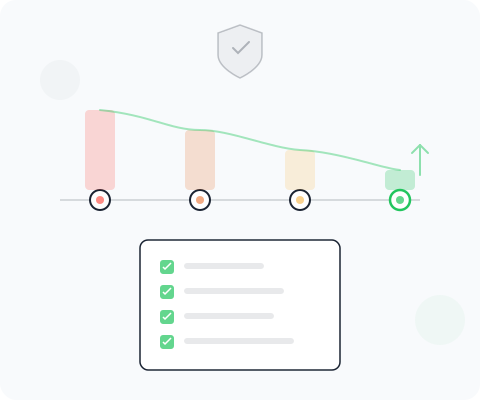
Demonstrate to regulators that click rates decrease and report rates increase across campaigns. Quantifiable evidence of a maturing security culture.

Make Security Awareness Measurable
Start phishing simulations and gain data-driven insights into your organization’s security awareness — with campaigns that reveal what training alone cannot.